Containers
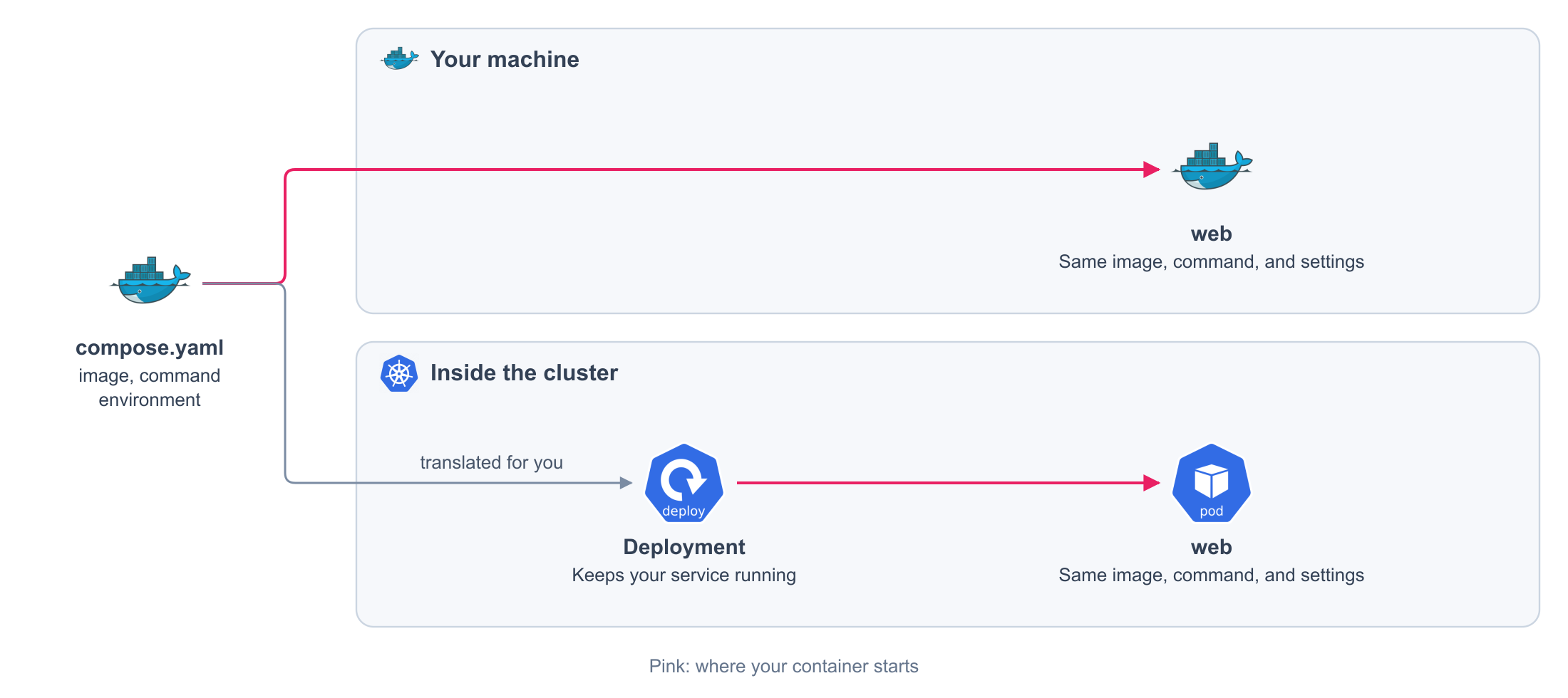
Say what runs and how it starts. The same image, command, and settings run on your machine and on the cluster.
compose.yaml
services:
  web:
    image: my-app:local # (1)!
    entrypoint: [python] # (2)!
    command: [manage.py, runserver, "0.0.0.0:8000"] # (3)!
    working_dir: /app
    environment:
      LOG_LEVEL: info # (4)!
- What runs.
- The program that starts. It replaces the one of the image.
- What the program receives. It replaces the command of the image.
- Public settings. Credentials go in Secrets.
Generated on every release. You never write this file or see it.
apiVersion: apps/v1
kind: Deployment
metadata:
  labels:
    com.docker.compose.project: my-app
    com.docker.compose.service: web
  name: web
  namespace: my-app
spec:
  replicas: 1 # (1)!
  selector:
    matchLabels:
      com.docker.compose.project: my-app
      com.docker.compose.service: web
  strategy:
    type: Recreate
  template:
    metadata:
      labels:
        com.docker.compose.project: my-app
        com.docker.compose.service: web
        com.docker.compose.network.default: 'true'
    spec:
      containers:
      - args: # (2)!
        - manage.py
        - runserver
        - 0.0.0.0:8000
        command: # (3)!
        - python
        env: # (4)!
        - name: LOG_LEVEL
          value: info
        image: my-app:local
        imagePullPolicy: IfNotPresent
        name: web
        workingDir: /app # (5)!
- One copy. Resources and replicas changes it.
- Your
command. - Your
entrypoint. - Your
environment. - Your
working_dir.
Fields
| Field | Required | Values |
|---|---|---|
image |
Yes | The image to run |
entrypoint |
No | The program that starts, in place of the one of the image |
command |
No | What the program receives, in place of the command of the image |
working_dir |
No | The directory where the program starts |
environment |
No | Public settings. Every variable has a value |
What you get
On your machine
Docker starts one container for the service, with your image, command, and settings.
On the cluster
The platform starts the service with the same image, command, and settings, and keeps it running. You write no manifest.
A private image needs nothing from you: the platform holds the credential to download it.
Rules
| Rule | Detail |
|---|---|
| A field outside the contract is rejected | It is never ignored in silence |
| Every variable has a value | A variable declared without a value is rejected |
| The project has a name | name, in lowercase letters, digits, and hyphens. It starts with a letter. Up to 63 characters |
| A service name is short | Lowercase letters, digits, and hyphens. Up to 52 characters |