Quick start
Requirements
| Tool | Purpose |
|---|---|
| mise | Installs the pinned versions of every other tool |
| Docker Desktop | Runs the local cluster |
| GitHub CLI, authenticated | Reads repositories and sets secrets |
Create a cluster
git clone [email protected]:blackstorm-dev/blackstorm-infra.git
cd blackstorm-infra
make init # (1)!
make cluster ENV=local # (2)!
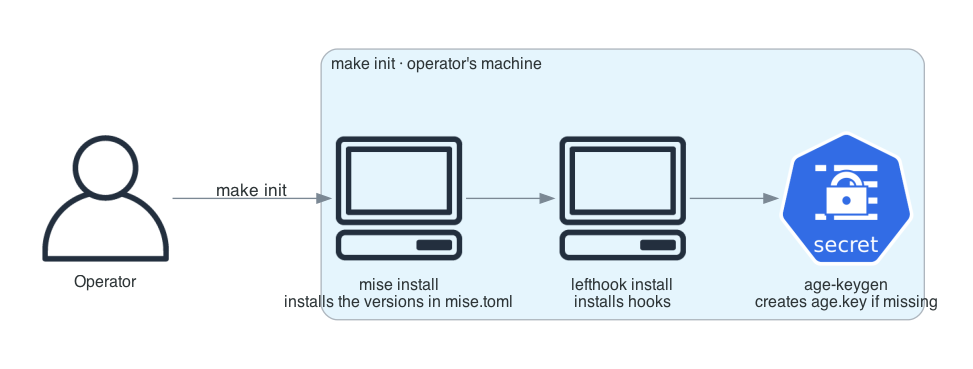
- Installs tools and hooks, and creates
age.keyif it is missing. - Creates kind in Docker, then runs the bootstrap.
make init
sops live/prod/secrets/digitalocean.env # (1)!
sops live/prod/secrets/cloudflare.env
make cluster ENV=prod
- Production needs DigitalOcean, Spaces, and Cloudflare credentials, and a domain configured in Cloudflare.
cp <backup>/age.key . # (1)!
make init
make connect ENV=prod # (2)!
- Recover the key before
make init, or a new one is generated. - Writes
.kube/prod. mise adds it toKUBECONFIGinside the repository.
Back up age.key
Without it, nothing under live/*/secrets/ can be decrypted. A lost key means new
credentials and re-encrypting every secret.
What make init does
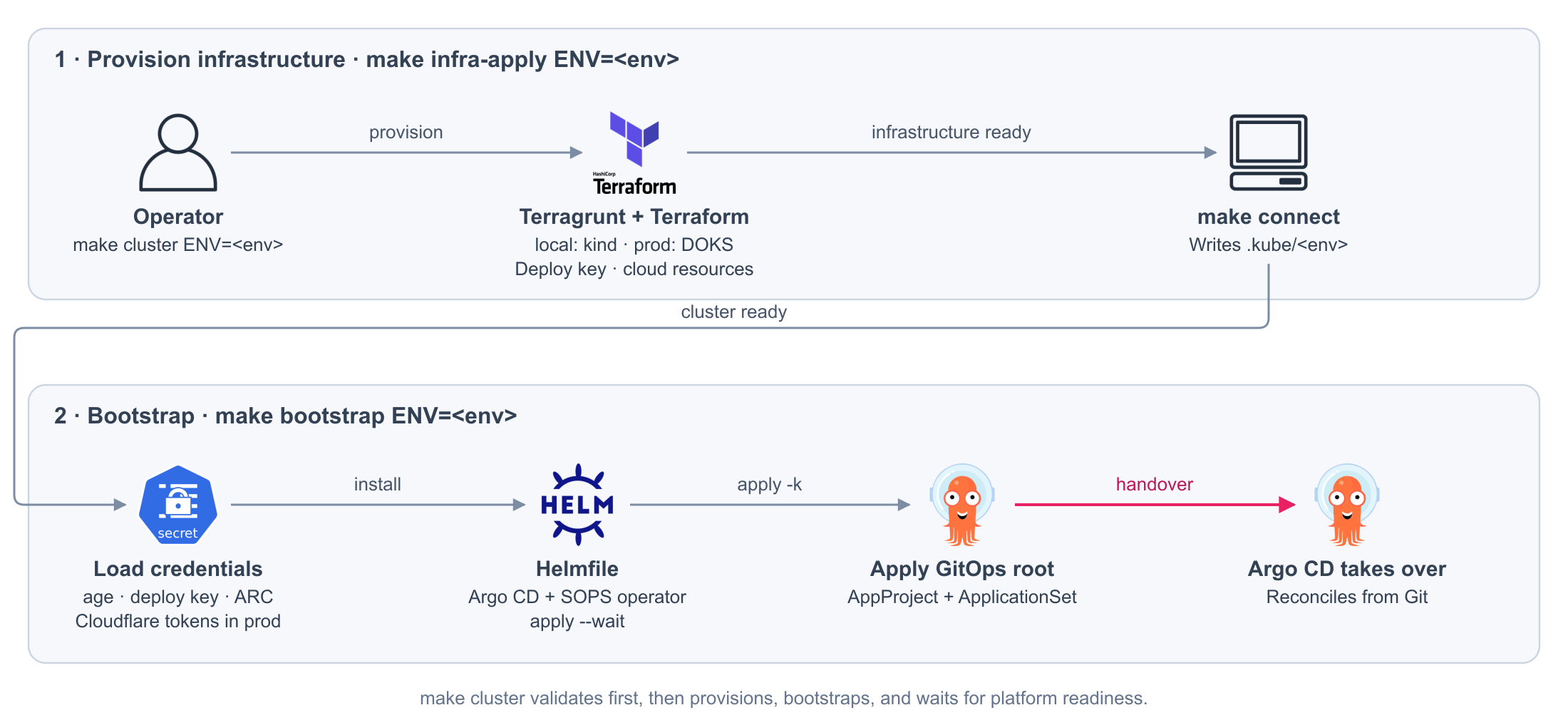
What the bootstrap does
| Step | Action |
|---|---|
| 1 | Loads the SOPS key, so the operator can decrypt what Argo CD applies |
| 2 | Loads the environment deploy key, so Argo CD can read this repository |
| 3 | Installs Argo CD and the secrets operator with Helmfile |
| 4 | Applies the AppProject and the ApplicationSet |
From there, Argo CD manages everything from Git, including itself. Every step can be run again.
Check it
kubectl --context local get nodes
kubectl --context local -n argocd get applications
Then open the interfaces.