Resources and replicas
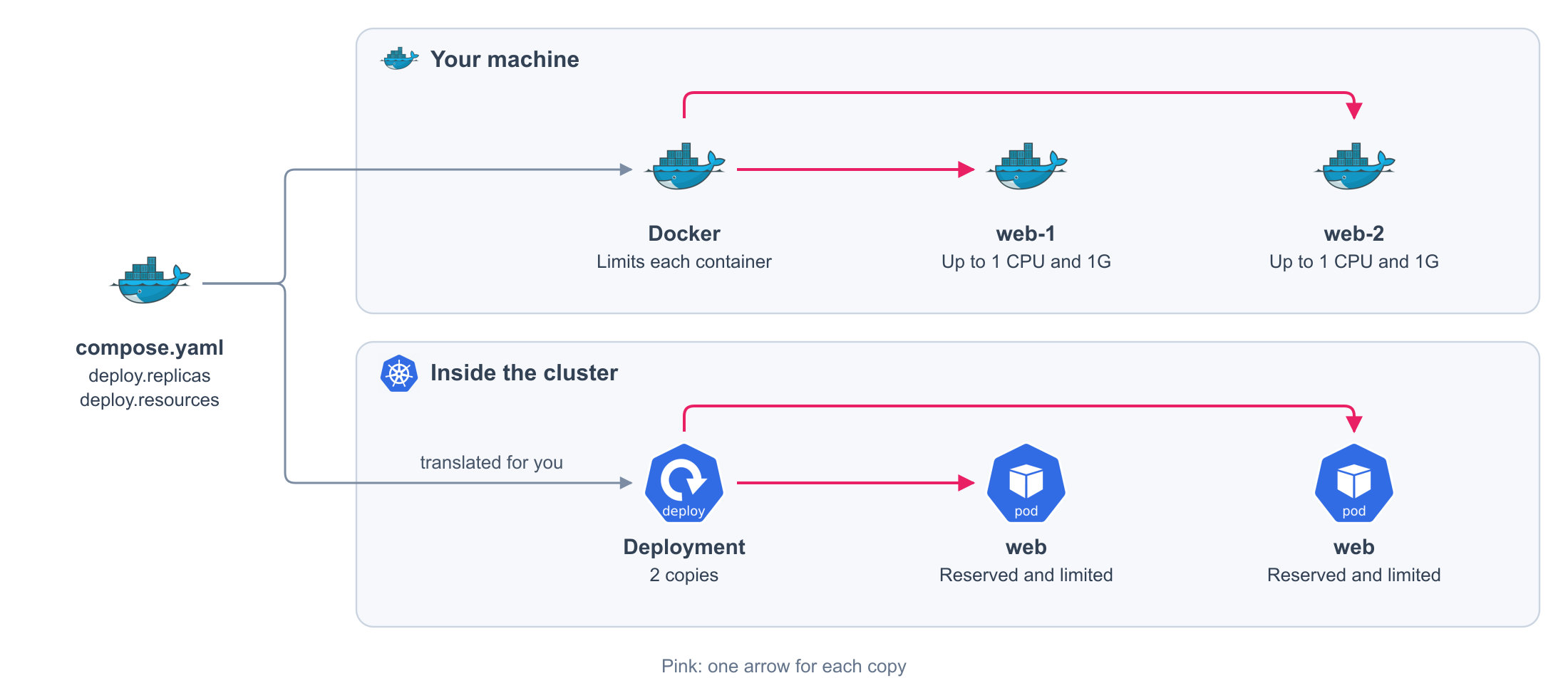
Say how much CPU and memory a service needs, and how many copies of it run.
compose.production.yaml
services:
  web:
    deploy:
      replicas: 2 # (1)!
      resources:
        reservations: # (2)!
          cpus: "0.1"
          memory: 320M
        limits: # (3)!
          cpus: "1"
          memory: 1G
- How many copies run.
- What the service needs to run.
- The most it may use.
Generated on every release. You never write this file or see it. Sizes are written in bytes:
1G is 1073741824.
apiVersion: apps/v1
kind: Deployment
metadata:
  labels:
    com.docker.compose.project: my-app
    com.docker.compose.service: web
  name: web
  namespace: my-app
spec:
  replicas: 2 # (1)!
  selector:
    matchLabels:
      com.docker.compose.project: my-app
      com.docker.compose.service: web
  strategy:
    type: Recreate
  template:
    metadata:
      labels:
        com.docker.compose.project: my-app
        com.docker.compose.service: web
        com.docker.compose.network.default: 'true'
    spec:
      containers:
      - image: my-app:local
        imagePullPolicy: IfNotPresent
        name: web
        resources:
          limits: # (2)!
            cpu: '1'
            memory: '1073741824'
          requests: # (3)!
            cpu: '0.1'
            memory: '335544320'
- Your
deploy.replicas. - Your
limits. Memory in bytes. - Your
reservations.
Each environment's file carries its own budget.
Make sure your application is stateless
Copies do not share memory, and a copy can be replaced at any time. Keep sessions, uploads, and any other state in a database, a cache, or a bucket.
Fields
| Field | Default | Values |
|---|---|---|
deploy.replicas |
1 |
An integer, 0 or more |
deploy.resources.reservations.cpus |
CPUs, such as "0.1" |
|
deploy.resources.reservations.memory |
A size, such as 320M or 1G |
|
deploy.resources.limits.cpus |
CPUs, such as "1" |
|
deploy.resources.limits.memory |
A size, such as 320M or 1G |
Every field is optional and independent. A value you omit is not set.
What you get
On your machine
| Behavior | Detail |
|---|---|
| Copies | Docker starts as many containers as replicas says |
| Limits | A container cannot use more CPU or memory than its limits |
| Memory reservation | Applied as a soft limit |
| CPU reservation | Has no effect on your machine. It only counts on the cluster |
On the cluster
The cluster places each copy where its reservations fit and holds it to its limits. It runs as
many copies as replicas says. You write no manifest.
Rules
| Rule | Detail |
|---|---|
| Only CPU and memory | Other entries under reservations or limits, such as devices and pids, are rejected |
scale agrees with replicas |
If a service declares both, they hold the same number |
| A scheduled job has one copy | See Scheduled jobs |
deploy reads replicas and resources |
Any other field under deploy is rejected |